Excursions avatar

Dev

On a recent trip with my colleagues, I realised how bad I am at the emoji game. I just can’t make sense of the conversations that take place.

So I added another tool emojidict to my pocket-tools list. This should come in handy now. And here’s the emoji that triggered this.

Revamping Post Stats

Of all the dev projects I have created, the post stats plugin for Micro.blog has been close to me. It gave me insights about my writing that I loved.

Since I published the first version of this plugin in December 2021, I have wanted to revamp the stats page. I had accumulated a list of insights that were not present, but needed to be.

With v2, they do — a complete rebuild, not a minor update. Here’s the snapshot (demo).
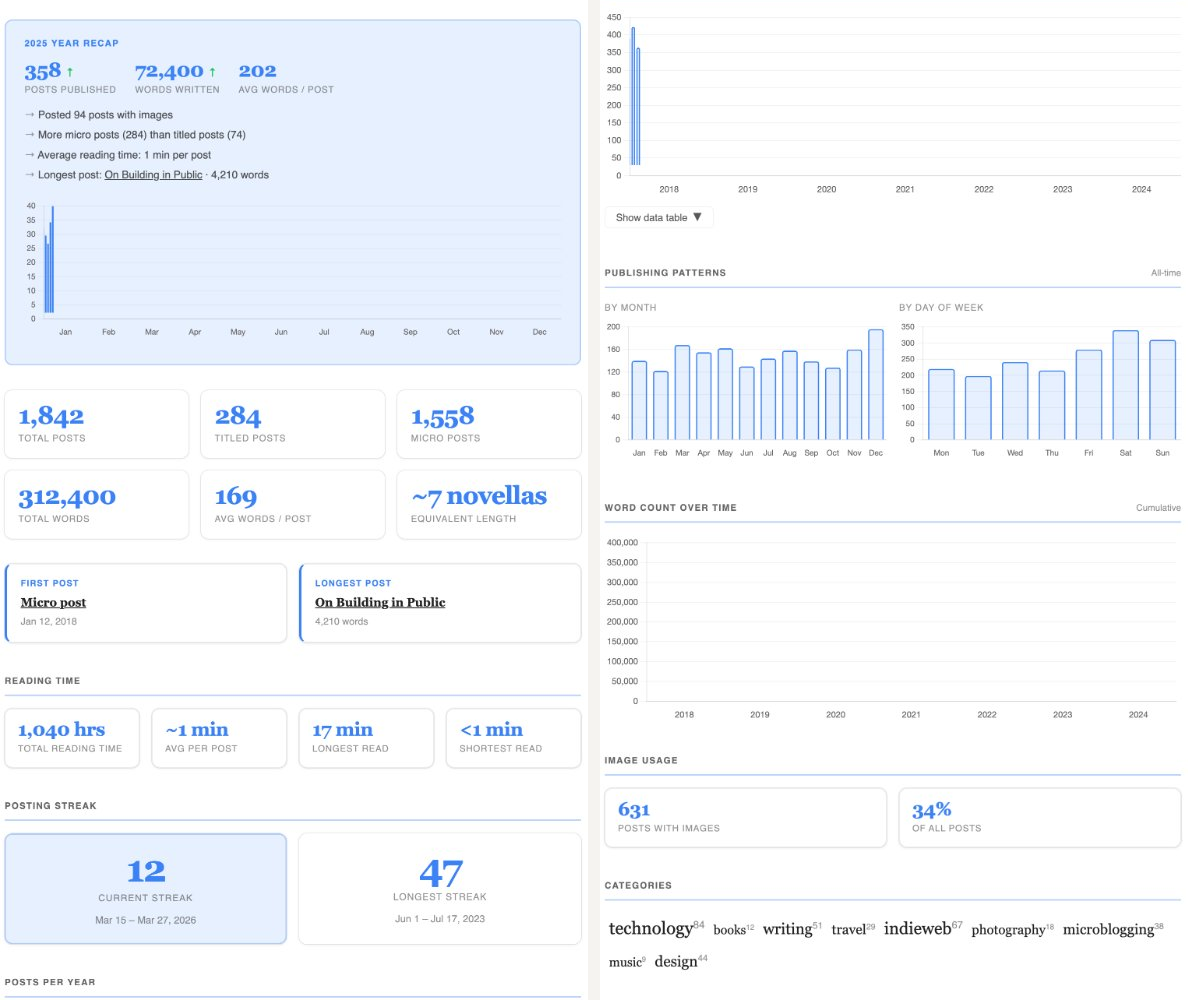
How long does it take to read everything you’ve ever written? What’s your longest posting streak? When do you actually post? v2 answers all of this in a modern card-based layout.

I have already discovered that I had a 65-day posting streak back in early 2022 — I had no idea. Or that I post equally across the days of the week. Apparently, I’m more consistent than I thought.

Head over to the plugins page to upgrade to v2. Let me know what’s missing.

Today, I pushed a minor release for Posts Stats plugin that enables (and defaults to) collapsing the table for the posts by year. You can expand the table by clicking the “Show Posts by Year” button below the chart. It should make the page slightly shorter and easier to follow.

PS: If the button to expand the table does not work by default, your theme might not import JavaScript from plugins correctly. Ideally, you should have the following code block around the footer layout. If you are unable to figure it out, email me. I will try to help you debug.

{{ range .Site.Params.plugins_js }}
      <script src="{{ . }}"></script>
{{ end }}

When I created Scribe, the idea was to make it work fully client-side – everything works from my browser. I intended to keep myself in check, to build only the simple, must-have features. It is good that I took that decision; otherwise, I would go down a rabbit hole supporting everything I want to. A lot is missing currently, I know. I have also heard a lot that others suggested.

But to be frank, I don’t know where to start. I can’t support many of the requests without a server-side component – for example, handling images. What’s that one feature that is the most glaring miss? I have been using the editor for over a week without issue, other than a few styling fixes.

Update: I am open to feature requests (and even pull requests) though. So, if there’s a feature you want to see supported, do create a new issue.

One highlight of Scribe editor is that it’s web-based. So I get consistent experience across all platforms and screens. Also though I write as rich-text, the underlying Markdown gets posted. You can also export the same – so you can also use it for non-Micro.blogs.

Launching Scribe, a clean editor for Micro.blog

I have been working on an editor for Micro.blog that has a simple interface and works well even for long-form writing. I have written this post from what I call Scribe, a clean web-based editor that can post to Micro.blog.

This is a focused writing space with an editor that completely works on the client side. What I write is auto-saved locally. I can save the same to Micro.blog as a draft to be edited later there. Or I can post it to go live on my blog. There is a word/character counter and dark mode. And it also works on mobile.

Of course, this is not the first post I have published with Scribe – I have been using this for the past couple of days, fixing all the issues, big and small. Now, you can also try it out.

There’s nothing else to explain. Just get writing and sign in to Micro.blog, if you like it.

I’ve released a minor version of the Paper theme today. It adds support to include Mastodon and LinkedIn to your social profile links in the header. If you are already using it, you should see the upgrade option in the Micro.blog plugins directory. Demo on my test blog.

I have always built web apps with Node.js and Express for all my side projects till now. However, I wonder if that duo is still the best choice for a new one that I am working on. What are the other options? I am ok to learn. Rather, I would love to learn – pick up something faster that’s also easy to maintain. Node.js projects are clearly neither. Time to explore.

Anatole – A Two-column Theme for Micro.blog

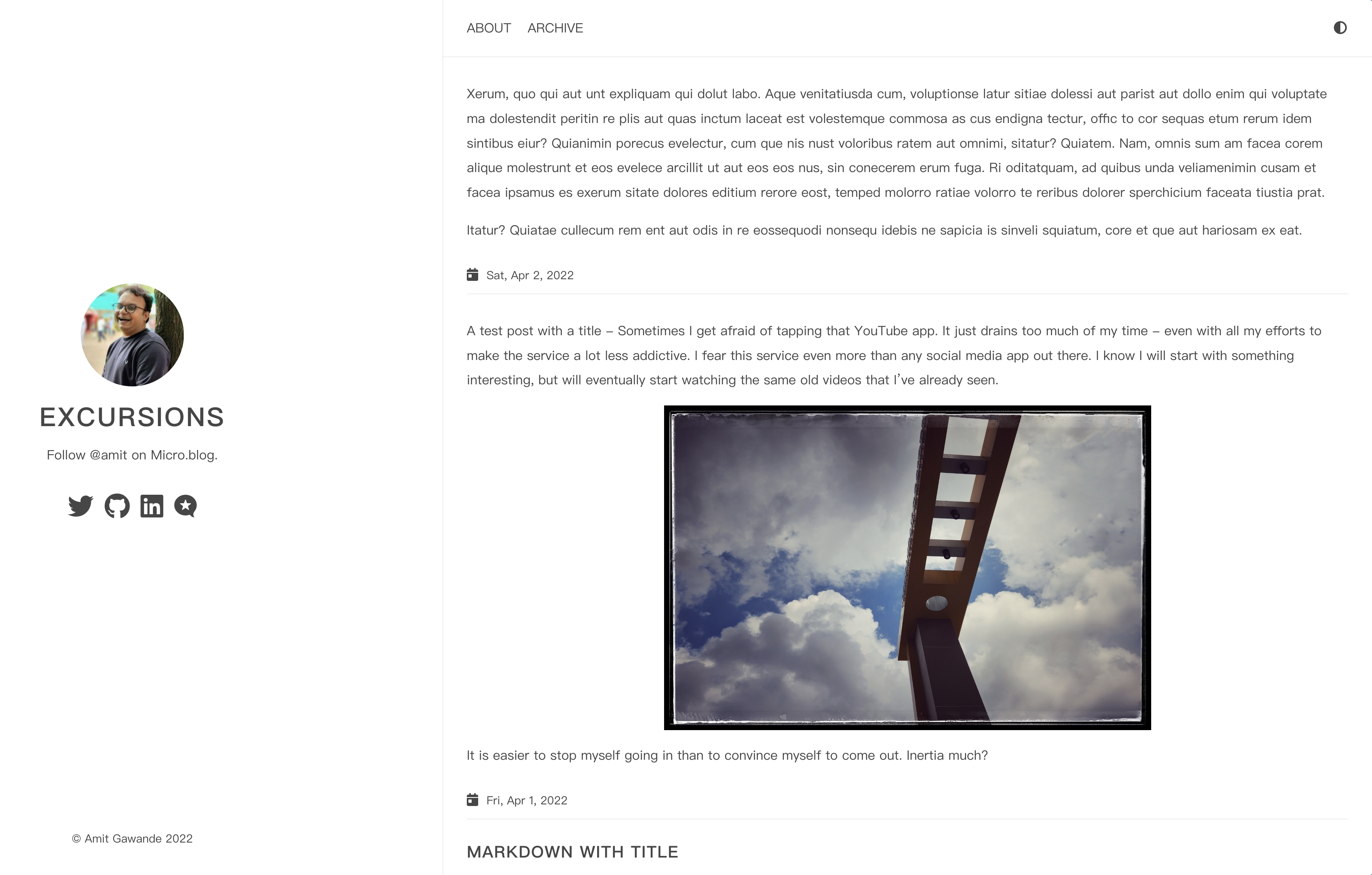
Ever since I published the Paper theme to Micro.blog, I wanted to port one with multiple columns and yet stay minimal as possible. I’ve found one, and today I managed to port it to and customize it for Micro.blog. The theme, called Anatole, is a beautiful minimalist two-column theme. You can check for yourself in the screenshot below or see it live on my test blog.

Anatole theme screenshot

The theme is available in Micro.blog’s Plug-ins directory and can directly be installed from there. Note that the theme is compatible with Hugo 0.91, which is available as a setting on Micro.blog. You can follow the below general steps to install the theme.

  • Uninstall any theme that you have installed as a plugin.
  • Set your current theme to blank and Hugo Version to 0.91 in the design section of your blog.
  • Make sure there are no other conflicting custom CSS configured for the previous theme.
  • Install the “Anatole theme” plug-in from the directory.
  • Once the theme is successfully installed, you can configure the social icons displayed in the header by modifying the available options as plug-in settings.
  • Additionally, you can configure parameters to display full post content on the homepage, disable animations and provide a path to a custom favicon.

It was fun to bring another option to Micro.blog’s already brilliant collection themes. I hope you like this and that a few folks benefit from it. If you do, I would love to hear from you. All feedback is welcome.

I have released a new version of the Paper theme today. It’s a minor upgrade that allows you to set a custom favicon through the theme settings. Of course, it is optional. If you do not configure it, the default Micro.blog favicon will be used. The upgrade is available now.